A copper wire moves a compass
Put a compass on a table and its north pole points north. Now lay a wire next to it and switch on a current. The wire is not iron and not a magnet; it is just copper. Yet the compass needle swings round.
For a long time electricity and magnetism were thought to be separate things. The discovery that they are connected came from exactly this little experiment. In this simulation we set up a wire perpendicular to the screen, surround it with compasses, and map the magnetic field that the current makes. Change the current, reverse it, add a second wire, and predict what will happen before you look. The discovery also comes with a famous story about a lucky accident in a lecture, but what the discoverer himself wrote tells a somewhat different story. More on that later.
A field that goes round
So how do compass needles actually line up around a wire?
A current produces a magnetic field in the space around it. For a straight wire, the field circles the wire in concentric circles. Its direction follows the right-hand grip rule: point your right thumb along the current, and your fingers curl the way the field goes. With the symbols used here, ⊙ marks a current flowing out of the screen toward you, and its field circles counterclockwise as you look at the screen; ⊗ marks a current flowing into the screen, and its field circles clockwise.
A compass needle points along the field where it sits. But a compass always feels the Earth's magnetic field too. In Japan the horizontal part of the Earth's field points north and is about 30 μT. The unit μT is the microtesla. So the needle points along the vector sum of the wire's field and the Earth's. Close to the wire the current wins and the needles line up in circles; far away the Earth wins and they point north. The textbook picture of needles neatly circling a wire is, strictly speaking, a picture of a world without the Earth's field.
The field can also be shown with field lines, drawn so that at every point they run along the field. Where the lines are crowded, the field is strong. Here the lines are drawn so that the same magnetic flux passes between every pair of neighboring lines, so their spacing is an honest measure of strength.
A discovery that was no accident
But how did anyone find out that a current makes a magnetic field?
In 1600 William Gilbert argued in De Magnete that the Earth itself is a great magnet, which is why compasses point north. Yet electricity and magnetism, although both attract things, were thought to be quite separate. Rubbed amber picks up scraps of paper but leaves a compass alone; a magnet grabs iron but ignores the paper.
The clue that connected them appeared only after Alessandro Volta built his battery in 1800, making a steady current possible. Volta announced it in a letter to Sir Joseph Banks, President of the Royal Society in London, and it was printed in the Society's journal that same year. The Danish physicist Hans Christian Ørsted believed that the forces of nature are all connected, and in a book printed in Paris in 1813 he had already written that it should be tested whether electricity acts on a magnet. But for years it was not at all clear what experiment would show it. According to his own later accounts, in the spring of 1820, while preparing a course of lectures on electricity and magnetism, he thought of a new experiment and tried it during a lecture, in front of the audience. The needle moved, but the effect was weak and looked irregular, and the audience was not much impressed. In July he repeated the experiment with a much stronger battery, finally worked out the law, and announced it in a short Latin paper dated July 21, 1820. The famous story that he stumbled on the effect by accident during a lecture spread from an acquaintance's recollection written down many years later; Ørsted himself insisted that it was no accident, since he had told his listeners the result in advance. Historians still debate how much he really foresaw. Lucky accidents make for better drama, but the real plot was quieter: someone who had been thinking about it for years finally put it to the test. What astonished people was the direction. Every force known before, gravity and the electric force alike, acts along the line joining two objects. The field around a current instead circles the wire, as we have just seen.
The news spread fast. In September 1820 François Arago demonstrated the experiment to the French Academy of Sciences in Paris, André-Marie Ampère set to work at once, and before the year was out he had shown that parallel currents attract or repel each other. In October 1820 Jean-Baptiste Biot and Félix Savart measured how the field of a straight current falls off inversely with distance. Ampère named the new science "electrodynamics," and in 1826 he brought his theory together in a major treatise.
Michael Faraday pictured magnetic fields as "lines of force" filling space, which is exactly what the field lines in this simulation show. His picture became a foundation for James Clerk Maxwell's unification of electricity and magnetism, and in the 1860s Maxwell concluded that light is a wave of electric and magnetic fields. From a twitching compass needle to the nature of light took a little over forty years.
Why does the field fade with distance?
Here is Biot and Savart's inverse-distance law written as a formula. A long straight wire carrying current produces, at distance , a field of magnitude
where is the permeability of free space.
Where does this formula come from? Draw a circle of radius around the wire and add up the field strength all the way around it: the total is times the current enclosed by the circle. This is Ampère's law.
Think of jogging once around a circular track, adding up the field along the track as you go. Change the size or shape of the track, and as long as it encloses the same current, the total stays the same. For a straight wire, symmetry says the field has the same strength everywhere on the circle and points along it, so the sum is just "strength times circumference":
and the formula above follows. The circumference grows in proportion to , so the same current is shared out over a longer loop, and the field thins out as .
Now some numbers: A and cm m give T, or 40 μT. That is about the same as the Earth's field, so a few amperes from a DC power supply will visibly swing a compass a few centimeters away. A household power cord, on the other hand, will hardly move a compass at all. Its outgoing and returning wires run side by side, so their opposite currents almost cancel each other's fields, and the current is AC, swinging back and forth 50 or 60 times a second, far too fast for the needle to follow.
Double the distance and the field halves. Compare the electric field of a point charge, which falls off as . The difference comes from the source being an infinitely long line rather than a point. It is the same reason a very long fluorescent tube fades with distance more gently than a bare bulb. In both cases this holds only if the source is long enough.
It is also worth comparing with the electric field. The field of a point charge points straight outward and weakens as ; the field of a line current circles around and weakens as . One source is a point, the other a line; one field flows outward, the other goes round. Put this simulation side by side with the electric-field one and the contrast jumps out.
What a compass needle can tell you
You can measure the field with the compass itself. Directly north of the wire, the wire's field points east–west while the Earth's field points north, so the needle turns away from north by an angle with
If you know the Earth's field, the deflection tells you the wire's field.
Wherever current flows, there is a magnetic field around it, and engineers turn that fact around: a clamp meter measures the current in a cable without touching the conductor, simply by sensing the field around it. That is why you must clamp just one wire: clamp the outgoing and returning wires together and their fields cancel, giving a reading of zero. Your phone contains a sensor that measures the Earth's field to orient maps, and it gets confused near magnets and currents for exactly the reasons you see in this simulation.
The Earth's field has its own long story. In 1929 the Japanese geophysicist Motonori Matuyama reported that basalts in Japan, including those of the Genbudō caves, are magnetized in the opposite direction to today's field, and proposed that the Earth's field had once pointed the other way. We now know the field has reversed many times; the most recent reversal happened about 770,000 years ago. The rock layers in Chiba, Japan, that record it so well gave their name to a slice of geological time, the Chibanian, made official in 2020, and the reversed period before it is called the Matuyama chron. The records of ancient fields frozen into rocks are called paleomagnetism, and they also became key evidence that continents move. The humble compass needle connects to the history of the planet.
Two currents, then many
With several currents, the fields simply add as vectors. This is called superposition. Two parallel wires with currents in the same direction produce opposite fields halfway between them, so the field there is zero. With opposite currents the fields add.
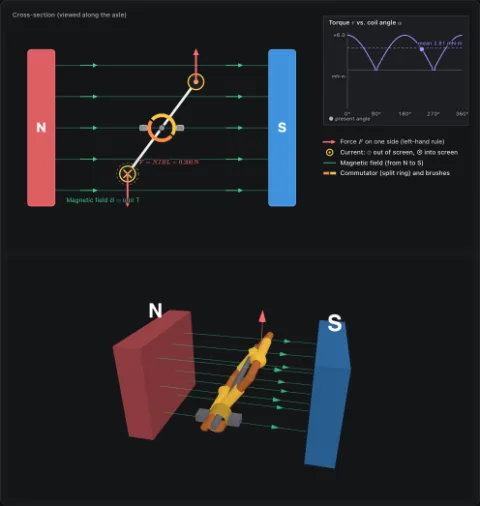
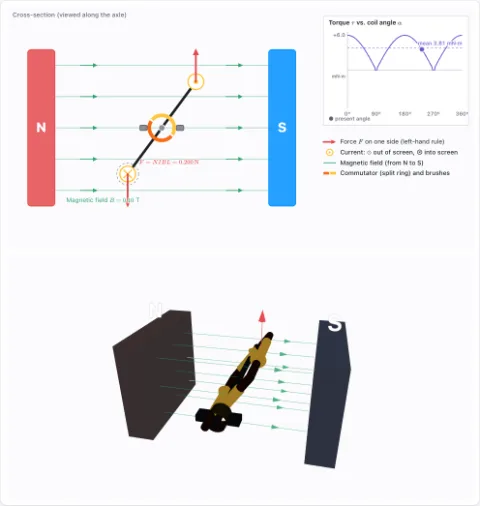
Two parallel wires also push or pull on each other, because each sits in the other's field. At the second wire, a distance away, current produces a field , perpendicular to that wire. A current at right angles to a field feels a force on a length . This is the same that appears in the DC motor simulation. So for currents and , the force on each meter of wire is
attractive for currents in the same direction and repulsive for opposite ones.
For decades the ampere itself was defined by the force between parallel currents: two wires 1 m apart, each carrying 1 A, exert N on each meter of the other. Since 2019 the ampere has been defined through the elementary charge, and has become a measured value, very close to . The unit of magnetic field, the tesla, is named after the inventor Nikola Tesla.
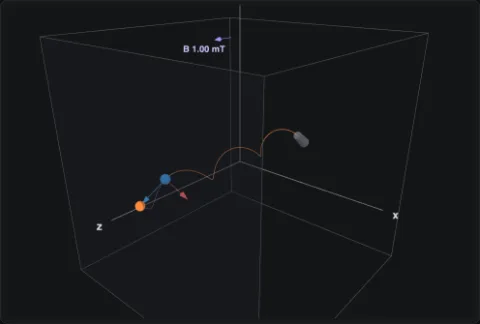
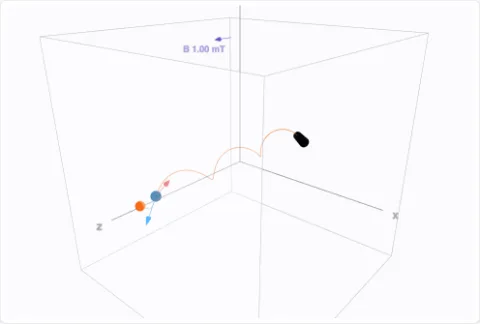
A current sitting in a magnetic field feels a force. The attraction between parallel currents and the turning of an electric motor are the same physics. Go one step further: a current is just a stream of charged particles, so a single electron flying through a magnetic field feels a force too. The DC motor and Lorentz-force simulations pick up the story where this one stops.
Because fields superpose, winding a wire into a coil adds up the fields of all the turns. That is an electromagnet, and it is at work inside motors, loudspeakers and relays. Hospital MRI scanners use superconducting coils to make fields tens of thousands of times stronger than the Earth's. Household appliances are surrounded by fields too. Right next to some appliances the field can reach a few hundred microtesla, but it falls off quickly with distance, and the average field in a home is only about 0.1 μT. Most of it is also made by alternating current, so it flips direction rapidly, unlike the steady field of the Earth.
Lay out the compasses yourself
- At the start, one wire carries 10 A out of the screen, shown as ⊙. Predict: which way do compasses east, west, north and south of the wire point? Then press "⇄ Reverse the current" and watch every needle.
- Set "Horizontal component of Earth's field (northward)" to 0. What happens to the field lines and the needles? Then try 50 μT.
- Drag the green probe to 8 cm due north of the wire. Near that line the probe snaps onto it and a dotted line appears, which makes this easy. Using "Field components" and "Direction of the compass N pole" under "Results", check that .
- Move the probe to 2, 4 and 8 cm from the wire and check that the readout "Nearest wire only: " is inversely proportional to the distance.
- Find the point where the field is zero. On which side of the wire, and how far away, do the two fields cancel? Calculate it too: .
- Under "Example arrangements", compare "Two wires, same direction (20 cm apart)" with "Two wires, opposite directions (a loop)". Turn on "Forces between the wires (red, per 1 m)" and check the directions of the forces.
- Choose "Cross-section of a solenoid (coil)". What does the field inside the coil look like?
To be honest, the wires here are treated as infinitely long. Real wires are finite and loop back somewhere to complete a circuit. Near a wire the infinite-line formula is excellent; far away, the shape of the whole circuit matters.
What the compass needle connected
A straight current is surrounded by circular field lines. Their direction follows the right-hand rule, and their strength falls with distance as . A compass points along the sum of this field and the Earth's, and its deflection is enough to measure the field. Fields superpose, so parallel currents attract and opposite currents repel.
Electricity and magnetism, once thought separate, were joined by the steady current of Volta's battery and the compass of Ørsted, who had been looking for the link for years; through Ampère and Faraday the story led all the way to Maxwell's theory of light. The same field is at work today in clamp meters, the compass sensor in your phone and MRI scanners, and it is written into rocks as a record of the Earth's field flipping again and again.
One last puzzle: lay many wires side by side with currents in the same direction and wind them into a coil. Why is the field strong inside the coil and weak outside? Look at the crowding of the field lines in the solenoid layout and think about it.
Sources and further reading
The facts in this article were checked mainly against these sources.
- On the Electricity Excited by the Mere Contact of Conducting Substances of Different Kinds, A. Volta, Philosophical Transactions of the Royal Society 90, 1800
- William Gilbert, Magnet Academy, National High Magnetic Field Laboratory
- Resistance to the Discovery of Electromagnetism: Ørsted and the Symmetry of the Magnetic Field, R. de A. Martins, History of Science Group, University of São Paulo (Ørsted's own accounts and the origin of the "accident" story)
- July 1820: Oersted & Electromagnetism, APS News, American Physical Society, 2008
- Ampère lays the foundations of electrodynamics (September 1820–January 1821), Ampère and the history of electricity, CNRS
- James Clerk Maxwell, MacTutor History of Mathematics, University of St Andrews
- Ampere: Introduction, National Institute of Standards and Technology (the old definition and the 2019 definition)
- Magnetic charts for epoch 2020.0 (in Japanese), Geospatial Information Authority of Japan (horizontal component of the Earth's field)
- Exposure to extremely low frequency fields, World Health Organization, 2007 (fields near appliances and in homes)
- MRI Safety Tutorial, Brain Imaging and Analysis Center, Duke University (MRI fields compared with the Earth's)
- On the Direction of Magnetisation of Basalt in Japan, Tyôsen and Manchuria, M. Matuyama, Proceedings of the Imperial Academy 5, 1929 (J-STAGE)
- Reversals of the geomagnetic field (in Japanese), T. Yamazaki, Chishitsu News 615, Geological Survey of Japan, AIST, 2005 (Matuyama and Genbudō)
- Result of the IUGS review of the Chiba section (in Japanese), National Institute of Polar Research, Ibaraki University and others, January 17, 2020
- Japan Puts Its Mark on Geologic Time with the Chibanian Age, Eos, American Geophysical Union, 2020
- Researchers provide most detailed and complete record yet of Earth's last magnetic reversal, National Institute of Polar Research, Japan, 2020
Further reading (encyclopedia):