Seeing invisible charge
You touch a doorknob in winter and get a little shock. Your hair stands up after you pull off a sweater. Electric charge is all around us, yet we cannot see it. So how can we tell whether something is charged?
The simplest instrument for the job is the leaf electroscope. Inside a glass jar, two very thin strips of metal foil hang from a metal rod. On top of the rod sits a metal plate. Touch the plate with a charged object and the leaves spring apart.
Fine, you might say: charge flowed down to the leaves. But here is the puzzle. If you merely bring a charged rod close to the plate, without touching, the leaves open too. Take the rod away and they close. Not a single charge entered the electroscope. How did it "notice" the rod? In this simulation we follow the charges, with symbols and numbers, one step at a time. And this modest instrument even helped discover radiation raining down from space.
Noticing without touching
A metal contains many electrons that are not tied to particular atoms. These free electrons can move through the metal. Normally the positive charge of the nuclei and the negative charge of the electrons balance exactly, so the metal is neutral.
Now bring a negatively charged rod near the plate. Like charges repel, so the free electrons are pushed away from the rod: from the plate, down the rod, into the leaves. The plate, now short of electrons, becomes positive; the leaves, with extra electrons, become negative. Both leaves are negative, so they repel and swing apart. This is electrostatic induction. The key point is that the electrons only moved within the electroscope. Nothing came in or went out, so its total charge is still zero. Remove the rod and the electrons drift back; the leaves close.
The particle that actually moves the leaves, the electron, was discovered by J. J. Thomson in 1897. Around 1909 Robert Millikan measured its charge, C.
From amber to the flying boy
People were meeting this effect long before anyone knew about electrons.
In 1600 the Englishman William Gilbert described, in De Magnete, a light pivoted needle called the versorium that turned toward rubbed objects such as amber. He called this property by a Latin word meaning "like amber," the root of our word "electricity," and the versorium is often called the first electroscope. Gilbert, though, thought that rubbing drew an "effluvium" out of an object, which pulled things in as it returned. There was no idea of electric charge yet.
That electricity can travel was discovered in 1729 by the Englishman Stephen Gray. With his friend Granville Wheler he stretched a hemp packthread from the house across the garden and a field and found that the "virtue" of a rubbed glass tube reached the far end, as long as the thread was supported only by silk, which kept the electricity from leaking away. By July 1729 the line was 765 feet long, about 230 m. That was the beginning of the distinction between conductors and insulators. In April 1730 Gray hung a boy of eight or nine horizontally on two hair lines, the kind used for drying clothes, and held a rubbed glass tube near the soles of his feet, without touching him. Flakes of brass leaf jumped up to the boy's face. Later known as the "Flying Boy," the demonstration became a favorite all over Europe, and since the tube never touched the boy, in today's terms it is exactly the electrostatic induction of this simulation. Gray's letter describing these experiments was published in the Royal Society's Philosophical Transactions in 1731. Induction was studied in detail by John Canton in England in 1753 and by Johan Carl Wilcke in Sweden in 1762, and Canton, Benjamin Franklin and Franz Aepinus all worked on explaining it.
A touch of the finger flips the sign
Back to the electroscope: keep the rod near and touch the plate with your finger. Your body is not a very good conductor, but it conducts well enough, and it is connected to the ground. The electrons that were pushed into the leaves find an even better escape route: through you, into the Earth. The leaves close. Now lift your finger first, and only then take the rod away. The electroscope is left short of electrons: it is positively charged, opposite to the rod. This is charging by induction. Swap the order of two steps and you get a different result, which is exactly why exam questions love it. Here are the steps of charging by induction with a negatively charged rod, in a table.
| Step | Plate | Leaves | Leaves are | Whole electroscope |
|---|---|---|---|---|
| Bring the rod near | + | − | open | 0 |
| Touch the plate with the rod still near (electrons go to ground) | + | 0 | closed | + |
| Lift your finger (rod still near) | + | 0 | still closed | + |
| Take the rod away (the + spreads over the whole electroscope) | + | + | open | + |
Electrostatic induction is now something you use with your fingertip every day. Most phone screens sense your finger because it changes the capacitance of electrodes under the glass, and your finger plays exactly the role of the grounded finger in this simulation. Photocopiers and laser printers write a pattern of charge on a charged drum with light, let charged toner powder stick to the pattern, and transfer it to paper.
Static electricity can also be a nuisance. Charge on a person's body can reach thousands of volts, enough to damage electronic components, so factory workers wear grounding wrist straps.
Until the potential evens out
The force between charges obeys Coulomb's law, , with . Around any charge there is an electric field, and the free electrons in a conductor move under its force. They stop moving only when the field inside the conductor is zero, which means the whole conductor is at the same potential.
The simulation turns that idea into numbers:
Here is the total charge of the electroscope, the charge of the rod, and pF the electroscope's capacitance: how much charge it takes to raise its potential by 1 V, so that . pF is the leaves' share. measures how strongly the rod's charge acts on the plate. We treat the plate as a conducting sphere of radius . A charge at distance induces a charge on such a sphere when it is grounded. This result comes from a calculation trick called the method of images, and we average it over many points along the rod. That is easy to check. Inside a grounded conducting sphere the potential is 0 everywhere, including at the center. The potential at the center is the sum of from the outside charge and the contribution of the induced charge on the surface. Every bit of surface charge is at distance from the center, so that contribution is however the charge is spread out. Hence , or . Slide the rod sideways and grows, so shrinks.
When the electroscope is grounded, , so and : the leaves close. With numbers: a −8 nC rod at the "near" position gives , so the grounded electroscope carries +3.0 nC. After the rod is removed, the leaves hold nC. Since 1 nC is about 6.2 billion electrons, roughly 19 billion electrons went through your finger. That is more than twice the number of people on Earth, and you feel nothing at all, which tells you how tiny the charge of one electron is.
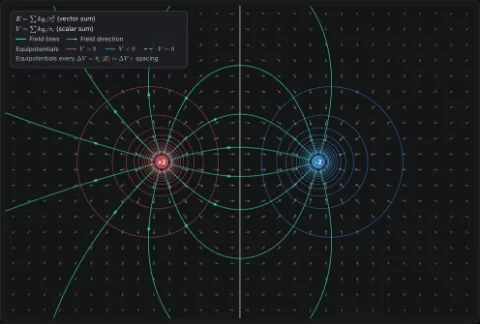
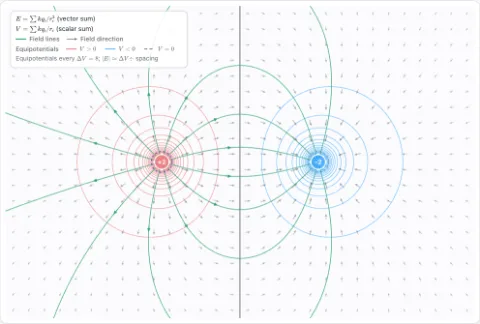
The electric-field simulation lets you see the field lines and equipotentials around charges, and "a conductor is an equipotential" is the foundation of everything here. The relation is the same as for a parallel-plate capacitor; an electroscope is a small capacitor.
The leaves settle where electric repulsion balances gravity. Treat each leaf as a strip pivoting about its top edge, with its charge and weight concentrated at its middle. Let be the leaf length. When a leaf opens by from the vertical, the middles of the two leaves are apart, so the repulsion is . About the pivot, the turning effect of the horizontal repulsion, , which opens the leaf, balances that of gravity, , which closes it, so . Putting it together, with leaf mass ,
More charge means a wider angle, but the angle never reaches 90°.
Charge is never made or lost
After any step, if you add up the charge on the electroscope, the charge on the rod and whatever flowed to or from the ground through your finger, you get what you started with. Charge is neither created nor destroyed; it only moves. That is conservation of charge, and the calculation in this simulation always respects it. The idea was first stated clearly in the middle of the eighteenth century.
William Watson in 1746 and Franklin in 1747 proposed that rubbing does not create electricity, it only collects and moves it: the beginning of the idea of charge conservation. Franklin also popularized describing electricity as positive and negative. In 1785 Charles-Augustin de Coulomb used a torsion balance to show that the force between charges falls off as the inverse square of the distance, and in 1787 the English clergyman Abraham Bennet devised the gold-leaf electroscope. In 1843 Michael Faraday lowered a charged ball into a metal ice pail connected to a gold-leaf electroscope and showed that the leaves' spread did not change whether or not the ball touched the pail: the charge induced on the inside exactly matched the ball's. Charge is neither created nor destroyed, only moved, and Faraday showed it with an electroscope.
A space enclosed by metal is shielded from outside electric fields. This electrostatic shielding is also why we can treat the leaves as protected by the case. Faraday's ice pail was a demonstration of the same principle.
Scale things up and you get lightning. Under a thundercloud, induction gathers charge on the ground and on buildings, and a lightning rod gives that charge a safe path to earth. Scale things down and you get chemistry: ions form when atoms gain or lose electrons, the same bookkeeping of electrons that you follow in this simulation.
The culprit in the sky
Electroscopes also led to a major discovery. A charged electroscope slowly loses its charge, because air conducts very slightly. At the time, the radiation that makes air conduct was thought to come from rocks in the ground. If so, an electroscope should discharge more slowly the higher you go. In 1912 the Austrian physicist Victor Hess made a series of balloon flights with sealed electroscopes of a design by Theodor Wulf, and on August 7 he reached 5,350 m. He found the opposite of what was expected: the discharge first slowed slightly with height, but from about 1,000 m it sped up, and at 5 km it was several times faster than at ground level. The radiation was coming from space. The culprit everyone had been hunting for underground was up in the sky. For the discovery of what were later named cosmic rays, Hess shared the 1936 Nobel Prize in Physics.
The cosmic rays Hess found with his electroscopes are now used to see inside huge objects. Collisions of cosmic rays with the atmosphere produce particles called muons, which pass through rock but are gradually absorbed, the more so the thicker the rock. In 2017 an international team including Nagoya University placed muon detectors inside Khufu's Great Pyramid in Egypt and discovered a large, previously unknown void above the Grand Gallery.
Follow the charges yourself
- At the start, a −8 nC rod is parked far away, about 50 m off, and a marker at the left edge shows it. The electroscope is neutral. The procedure is "Charging by induction". Read the question shown under "Step by step" in the panel, make a prediction, then press "Next step".
- Once the first step, "Bring the rod near the plate", is done, check that the number of + symbols on the plate equals the number of − symbols on the leaves. Does "Charge on the electroscope (plate + leaves)" stay at zero?
- The second step is "Touch the plate with a finger (grounding)". Watch the electrons moving along the finger and the readout "Charge that came from the ground through the finger". Which way did the electrons go?
- Finish the procedure and confirm the electroscope ends up with the opposite sign to the rod. Then start again, but this time move the rod away before lifting your finger. To do this, press "Take the rod away" under "Controls" before "Remove the finger". What happens?
- Under "Procedure", choose "+ rod near a − charged electroscope". Why do the leaves close and then open again?
- Drag the rod directly above the plate, then off to the side. How do "Induction fraction " and the leaf angle change?
About the display: the + and − symbols show net charge only, one symbol per 0.25 nC, which is about 1.6 billion electrons. Capacitances, leaf mass and the charge transferred on contact are approximate, and the leaves move smoothly to their balance angle without swinging. The flow of electrons is drawn over about a second so you can follow it; real charges move almost instantly.
To be honest, this is a simplified model that splits the conductor into two parts, plate and leaves. Real charge spreads continuously over the conductor's surface. But the two essentials are kept exactly: charge is conserved, and a conductor is at one potential.
What two little leaves revealed
Bringing a charged object near a conductor makes its free electrons move: opposite charge appears on the near side and like charge on the far side, while the total charge stays the same. Grounding lets electrons flow to or from the Earth until the conductor's potential is zero; break the ground first, then remove the charged object, and the conductor is left with the opposite sign. Charging by contact gives the same sign as the charged object. In every step, total charge is conserved.
It took three hundred years to get from Gilbert's "effluvium" drawn out of rubbed objects, through Gray's conductors and insulators, Watson and Franklin's conservation of charge and Faraday's ice pail, to knowing that the leaves are moved by electrons. And the same instrument, carried aloft in Hess's balloon, discovered cosmic rays, which today let us look inside a pyramid.
One last question: if you see the leaves of an electroscope standing open, can you tell whether it is positively or negatively charged? If not, what could you do to find out?
Sources and further reading
The facts in this article were checked mainly against these sources.
- A Letter to Cromwell Mortimer, Containing Several Experiments concerning Electricity, Stephen Gray, Philosophical Transactions vol. 37, 1731 (the long-line experiments of 1729 and the boy experiment of April 1730; scan at the Internet Archive)
- Description of a New Electrometer, Abraham Bennet, Philosophical Transactions vol. 77, 1787 (the gold-leaf electroscope; scan at the Internet Archive)
- April 17, 1912: Victor Hess's balloon flight during total eclipse to measure cosmic rays, APS News, American Physical Society, 2010 (the belief that the radiation came from rocks, and the naming of cosmic rays)
- A discovery of cosmic proportions, CERN Courier, 2012 (the flight of August 7, 1912 to 5,350 m, and the Wulf-type electroscopes)
- Victor F. Hess – Nobel Lecture, The Nobel Prize, 1936 (ionization rising from 1,000 m and several times the ground value at 5 km)
- Discovery of a big void in Khufu's Pyramid by observation of cosmic-ray muons, K. Morishima et al., Nature 552, 2017 (arXiv preprint)
Further reading (encyclopedia):