Where do the fingers meet?
Here is something you can try right now. Balance a meter stick, or a broom handle, horizontally on your two index fingers. Start with your fingers far apart and deliberately off-center. Then slowly bring your hands together.
Where do your fingers meet? Try it a few times. However you start, they meet almost exactly in the middle of the stick. And if you watch closely, your fingers don't move together. One slides for a while, then stops, and then the other one slides. They take turns, as if they were walking.
The stick doesn't know where its middle is, and your fingers have no eyes. So who decides to meet in the middle? Let's find the culprits. There are two suspects: the normal force and friction. Friction in particular is a slippery character that has puzzled engineers and scientists for more than 500 years, since Leonardo da Vinci. The fingers' turn-taking puts its most important property on display.
Questioning the two suspects
First, how much of the stick's weight does each finger carry? Try a thought experiment. Put one finger right under the stick's center of mass and the other near the end. The finger under the center of mass carries almost everything; the other is barely touching. So the closer a finger is to the center of mass, the harder the stick presses on it. That push is the normal force.
Next, friction. Friction between a finger and the stick has two faces. While nothing slides, static friction supplies whatever force is needed, up to a limit. While sliding, kinetic friction has a fixed size, usually smaller than that limit. You know this from pushing heavy furniture: hard to get going, a bit easier once it moves.
Put these together and the turn-taking makes sense. When your hands move toward each other, the stick can't move with both fingers, because they move in opposite directions. So one finger must slide. Which one? The one whose static-friction limit is smaller: the one with the smaller normal force, which is the one farther from the center of mass.
The sliding finger moves toward the center of mass. As it does, its normal force grows and the other finger's normal force shrinks. The sliding finger's kinetic friction gets stronger, while the stuck finger's static limit gets weaker. At some moment the kinetic friction from the sliding finger exceeds what the stuck finger can hold. The stuck finger starts to slide, and almost at the same instant the sliding one sticks. We'll work out what "almost" means later. The actors swap roles.
Why doesn't friction care about area?
Now for the friction law itself. Textbooks state it in one line: friction is proportional to the normal force and does not depend on the apparent area of contact. A finger that is not sliding exerts whatever friction is needed, up to ; a sliding finger exerts , and usually .
Wait a moment. Is "independent of area" really obvious? Drag a brick on its broad face or on its narrow side, and the force you need is almost the same, even though the area pressed together differs several times over. People once explained friction as bumps on the two surfaces catching on each other, so that sliding meant lifting one surface over the bumps of the other. But then, it was objected, shouldn't you get the energy back going down the far side of each bump? Today's answer is this. Under a microscope, surfaces are rough, and they actually touch only at the tips of their bumps. That real area of contact is far smaller than the apparent area, and it grows roughly in proportion to the load. Where the tips touch they stick together, and the force needed to shear those junctions is proportional to the real area. So friction is proportional to the load and independent of the apparent area. The coefficient is an experimental number that depends on the pair of materials and on the state of the surfaces; for skin, it even depends on moisture. It is a very good approximation, not a fundamental law.
The long road to a reason
The first person known to have studied friction seriously was Leonardo da Vinci, and his interest came from machines: how hard an axle is to turn, how a screw thread works. His notes on friction span about twenty years, from around 1493 to around 1515. The earliest note related to the laws of friction sits on a tiny page, less than 10 cm on a side, of a notebook now in the Victoria and Albert Museum in London. He is credited with realizing that friction is proportional to the load and independent of the area of contact, and from about 1500 on he wrote again and again in his notebooks that on smooth surfaces friction is about a quarter of the weight. But his notebooks were never published in his lifetime and became widely known only in the late nineteenth century, so his discoveries had no influence on the later study of friction.
About two centuries later, in 1699, the Frenchman Guillaume Amontons presented the same laws to the Academy of Sciences in Paris. He reported friction of about a third of the load for many materials and explained it by bumps riding over bumps. The claim that friction does not depend on area was met with skepticism. In the first half of the eighteenth century John Theophilus Desaguliers, working in England, suggested that adhesion, surfaces sticking together, might also play a part.
The decisive experiments were done by Charles-Augustin de Coulomb, the same Coulomb as in electrostatics. A military engineer, he used the naval dockyard at Rochefort in western France as his laboratory, sliding all sorts of materials and even measuring the stiffness of ropes. His memoir Théorie des machines simples, on the theory of simple machines, won the top prize of the Paris Academy in 1781 and got him elected to the Academy. Coulomb confirmed Amontons' laws and showed that once sliding begins, friction drops and is nearly independent of speed. Leonhard Euler had already argued in a 1750 paper that kinetic friction should be smaller than static friction, but it was Coulomb's experiments on many materials that laid the foundation for the way we use and today. Later the Scottish physicist John Leslie is said to have raised the objection about getting energy back on the far side of each bump.
A convincing answer to "why doesn't friction depend on area?" came only in the mid-twentieth century. Working in Cambridge, Philip Bowden and David Tabor showed by experiment that surfaces touch only at the tips of their bumps, that this real area of contact is proportional to the load, and that friction is the force needed to shear the junctions that form there. After nearly 500 years, Leonardo's "proportional to the load, independent of area" finally had a reason. Even so, friction is still an active field of research.
Catching the swap in equations
Back to the fingers. Let the stick weigh and let the center of mass be from the left finger and from the right finger. The stick neither moves up or down nor rotates, so two balances hold.
Vertical forces balance: . Moments about the center of mass, force times distance from the axis, balance: . The two fingers try to turn the stick in opposite directions, and the weight acts at the center of mass itself, so it has no turning effect about that point. Friction has a small turning effect too, but the stick is thin, so we neglect it. From the second equation ; put that into the first and . So
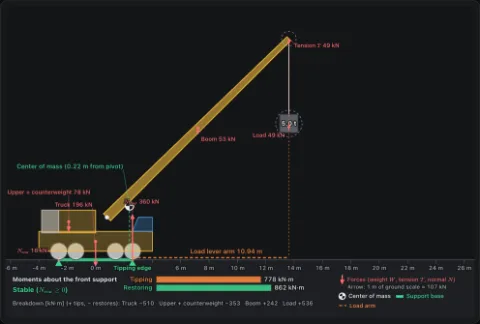
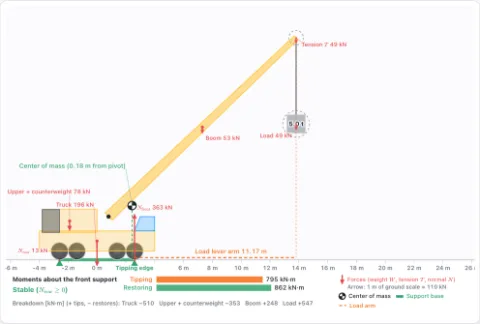
Notice that the force on the left finger depends on the right finger's distance. It's a lever. When two people carry a long log, the one nearer its center of mass ends up shouldering more of the weight; same equation. The way the normal forces are shared is the same rigid-body equilibrium problem as a crane about to tip or a bridge resting on two supports.
Suppose the right finger is stuck and the left one slides. The stick moves along with the right finger at almost constant velocity, so the horizontal forces on it balance: the static friction from the right finger equals the kinetic friction from the left one. The right finger lets go when this exceeds its limit :
In words: the stuck finger slips when the sliding finger's distance has shrunk to times the stuck finger's distance.
With and , that ratio is . Each time the roles swap, the sliding finger ends up at two-thirds of the other's distance. If you move your hands slowly, the distances go roughly 35 cm, 23 cm, 16 cm, 10 cm, and so on, a geometric sequence that shrinks toward zero, toward the center of mass. That is why the fingers always meet under the center of mass. The shrinking distances form a geometric sequence, straight out of your mathematics class. With a ratio of , how many swaps does it take to get within 1 cm? A logarithm answers that in one line.
But wait. If the ratio shrinks by 2/3 each time, the swaps should, in principle, go on forever. Like Achilles chasing the tortoise, do the fingers never quite arrive? Relax. Your hands approach each other at a steady speed, so the gap between your fingers closes at a steady rate and reaches zero in a definite time. The infinitely many swaps are simply crammed into the last moments of that finite time. And real fingers have thickness, so after a few swaps you can no longer tell them apart. For a uniform stick that happens to be the middle, but only because that's where its center of mass is.
This experiment is a practical way to find the center of mass of a broom, a bat or any long object, however oddly shaped: balance it on two fingers and bring them together, and friction finds the balance point for you without a single calculation.
What if you hurry?
By the way, the speed of your hands never came into any of this. So does moving them faster change nothing at all? The answer is "half right."
The half that's right is the ratio at the moment of a swap. The swap condition describes the stick moving along with the stuck finger at constant speed, with the horizontal forces in balance, and there is no speed in it. Slow or fast, the stuck finger always lets go when .
The half that's wrong is what happens just after the swap. While the right finger was stuck, the stick moved left with it at speed . After the swap it has to move right with the left finger at speed . But the stick's velocity can't jump from to in an instant, and until it turns around, both fingers are sliding. The only thing turning it around is the difference between the two kinetic frictions, . At the swap , with , so the normal-force formulas give . Writing the stick's mass as , so that , the acceleration while it turns around is
For and , that's m/s². Notice that the mass has dropped out. A heavier stick is harder to turn around, but it also presses harder on the fingers, so the friction grows in the same proportion.
Changing the velocity by takes a time . All that time the left finger keeps sliding along the stick, at a relative speed that starts at and falls steadily to zero, so its average is . Compared with infinitely slow hands, it slides an extra
before it sticks. That's about 1 mm at 2 cm/s and about 2.5 cm at 10 cm/s. The normal forces also shift a little while the fingers move, so the simulation gives about 2.3 cm. Five times the speed, twenty-five times the extra slide.
The extra slide has the same length at every swap, while the stretch between swaps shrinks by a factor of each time. Toward the end, the extra slide is a big fraction of each stretch, so the fingers reach the center of mass sooner, and faster hands mean fewer swaps. Starting from the same positions in the simulation, the "Number of role swaps" is 8 at 2 cm/s, 7 at 4 cm/s and 5 at 10 cm/s. The tidy geometric sequence, and Achilles with it, is what you get in the limit of very slow hands. The slower you go, the closer you come to the ideal picture set by the ratio alone.
Stick, then slip
And if and were equal? The swap condition becomes . Once the fingers are equally far from the center of mass, both slide at the same time. They still meet under the center of mass, but the turn-taking disappears. Seeing the fingers alternate is visible evidence that .
Friction that is stronger when stuck than when sliding produces many squeaks. Repeated sticking and slipping is called stick-slip. It causes creaking doors and squealing chalk, and it is how a violin bow keeps a string vibrating; violinists rub rosin on the bow to raise the static friction. In the nineteenth century Hermann von Helmholtz watched a bowed string through a vibration microscope of his own design and found that the string is carried along by the bow while it sticks, then slips back, over and over.
Earthquakes are thought to be stick-slip on a giant scale. In 1966 William Brace and James Byerlee, noting that stick-slip is common when rocks slide past each other in the laboratory, proposed that shallow earthquakes are stick-slip events on faults. The "stick" is the long period, decades or centuries, in which a locked fault stores up strain; the "slip" is the earthquake. The difference between static and kinetic friction matters to anyone who lives in earthquake country.
Stick-slip also connects to oscillations: it is often modeled as a block pulled through a spring across a surface. A violin note, a creaking door and an earthquake turn out to be relatives described by the same kind of equation, which is one of the pleasures of physics.
In cars, a tire that skids gives less friction than one that rolls without slipping on the road. That is related to why anti-lock braking systems prevent the wheels from locking. The science of friction, wear and lubrication is called tribology, a word coined in a 1966 British government report. A 2017 study estimated that about 23% of the world's energy use is tied up in friction and wear: most of it, about 20% of the world total, goes into overcoming friction, and the rest into remaking worn-out parts. Reducing friction even a little saves a great deal of energy and carbon dioxide.
Bring them together on screen
- At the start, the left finger is about 40 cm from the center of mass and the right one about 35 cm. Look at "Normal forces N₁ / N₂" under Results and predict which finger slides first.
- Press "→← Bring the fingers together". A sliding finger glows yellow, and its line in the record at the bottom turns yellow. Was your prediction right?
- When the fingers stop, read "Meeting point minus center of mass": how many millimeters is the meeting point from the center of mass?
- Set "Clip mass" to 100 g and "Clip position (from left end)" to 10 cm, and run again. Do the fingers meet in the middle of the stick?
- Press "Set μs = μk = 0.8" and run again. How does the record change? Compare the "Number of role swaps".
- Press "⟲ Restore defaults" in the toolbar to go back to the starting settings. Then bring the fingers together with "Coefficient of kinetic friction " at 0.45, 0.50 and 0.55, closer and closer to the coefficient of static friction . Does the number of swaps increase or decrease? Predict from before you check. What happens if you go on to 0.58? Connect it with the extra slide in step 7.
- Press "⟲ Restore defaults" in the toolbar to go back to the starting settings, set "Finger speed" to 2 cm/s, bring the fingers together, and read the "Number of role swaps". Then set it to 10 cm/s, press "↺ Reset" in the toolbar, and run again. Did the number change? The ratio at each swap is still , so why? Estimate the extra slide before you think it through.
- Set "Left finger start position" to 30 cm. Now the left finger is 20 cm from the center of mass and the right finger is 35 cm. Predict which finger slides first this time, then bring them together. You can also drag a hand by its dashed ring to move a finger yourself. Also try "Finger(s) to move" set to "Right finger only".
What the model assumes: constant friction coefficients, although real skin friction changes with pressure, moisture and sliding speed; a rigid stick that stays level; fingers that touch at a point. The stick's inertia is included, so when you bring the fingers together quickly, a finger slides a little extra just after each swap. The stick and fingers are drawn thicker than real so they are easy to see.
What the fingers were finding
The finger closer to the center of mass carries more of the weight and so has the larger static-friction limit. The other finger slides first, approaches the center of mass, and the roles swap the moment the distance ratio reaches . That ratio does not depend on how fast your hands move. The distances shrink geometrically, so the fingers always meet under the center of mass. Because the stick has inertia, though, quick hands make a finger slide an extra just after each swap, and the number of swaps goes down. The very fact that the fingers take turns is evidence that static and kinetic friction differ.
That "strong when stuck, weaker when sliding" behavior took centuries to understand, from Leonardo's notes through Amontons and Coulomb's dockyard experiments to the discovery of the real area of contact in the twentieth century. It still shapes violin music, earthquakes and how the world uses its energy.
One last question: if the stick were twice as heavy, what would happen to the ratio at each swap, and to the number of swaps? And if both friction coefficients were halved, what would happen to the extra slide ? Once you have predictions, you can check them on screen too. A 150 g clip at the middle of the stick, at 50 cm, doubles the weight without moving the center of mass. For the friction, set to 0.3 and to 0.2. The extra slide itself isn't shown as a number, so compare the "Number of role swaps" when you bring the fingers together at 10 cm/s.
Sources and further reading
The facts in this article were checked mainly against these sources.
- Hutchings, "Leonardo da Vinci's studies of friction," Wear 360–361 (2016) (author's manuscript, University of Cambridge)
- The same paper, publisher's version (DOI)
- Da Vinci and friction (Revista Pesquisa FAPESP)
- Charles Augustin Coulomb (MacTutor, University of St Andrews)
- Euler, "Sur le frottement des corps solides" (1750), summary (Euler Archive, University of the Pacific, E143)
- Bowed String (D. Russell's acoustics animations, Penn State)
- Helmholtz Motion (CCRMA, Stanford University)
- Brace & Byerlee, "Stick-Slip as a Mechanism for Earthquakes," Science 153 (1966) (course reading, University of British Columbia)
- Scholz, "Earthquakes and friction laws," Nature 391 (1998) (course reading, University of British Columbia)
- Fifty years of tribology (Department of Engineering, University of Cambridge, 2016)
- Holmberg & Erdemir, "Influence of tribology on global energy consumption, costs and emissions," Friction 5 (2017)
- Holmberg & Erdemir, "The impact of tribology on energy use and CO2 emission globally and in combustion engine and electric cars," Tribology International (2019) (OSTI)
Further reading (encyclopedia articles):